


Page 28 - Echotrac E20 SBES
P. 28
7      TROUBLESHOOTING

               7.1    The Echotrac E20 does not seem to be working

               If the Echotrac E20 does not seem to be working correctly, perform these steps to find the cause.

                   (a)  Check if the power LED is on.

                   (b)  The Echotrac E20 has a Standby bit that is turned on by default. Try to communicate with
                       the Echotrac E20 via the SBES UI.

                   (c)  Check that all the cables are properly connected and intact. If cables are not properly
                       secured, electrical signals may not be transmitted or received.

                   (d)  A blinking TX LED means that the digitizer is firing, but the data may not be sent out on
                       the COM port of the Echotrac E20. The Echotrac E20 could be in Standby mode.

                   (e)  Make sure the Echotrac E20 is not in Standby mode.

                   (f)  Make sure you are using the correct COM port. Windows will display an error message if the
                       port cannot be used or if it is already open/used by another program.

                       These programs or devices use COM ports: Modem, Mouse, Scanners, and Printers.

                   (g)  Try toggling the COM port off and on with the Windows application software you are using.

                   (h)  Try powering down the Echotrac E20 and powering it back up again. If the Echotrac E20 is turned
                       on before the computer, it may interfere with initializing and setting up communication channels.


               7.2    The Echotrac E20 power LED is off

               Try powering the Echotrac E20 down and back up again.

               If this does not resolve the problem, contact reson-support@teledyne.com for assistance.


               7.3    What are the COM port settings?

               The Echotrac E20 uses the following default settings for the COM ports:

                   o  115200 baud, 8 data bits, no parity, 1 stop bit.

               The COM port used to interface with the Echotrac E20 can be selected on the Sensor tab in the
               SBES UI.

               7.4    Known problems with Transducer

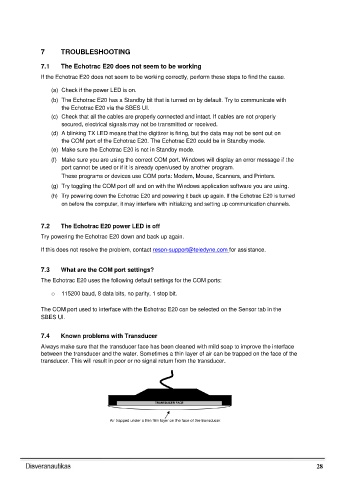
               Always make sure that the transducer face has been cleaned with mild soap to improve the interface
               between the transducer and the water. Sometimes a thin layer of air can be trapped on the face of the
                 transducer. This will result in poor or no signal return from the transducer.


                                                       TRANSDUCER FACE


                                        Air trapped under a thin film layer on the face of the transducer.


                                                                                                                28

